Chromapal®Chromapal® | Color assistant

Measure the color. Mix the paint.

Upload a photo of your subject, or take one on the spot with your phone to measure the color instantly. Color Assistant calculates the mixing ratio based on the colors of your brand and selection, and suggests which extra colors you can use for the best result.

The ratios are an approximation — Color Assistant is a tool that gives direction in the painting process, not an exact measuring stick.

How it works. Try it yourself.

Choose your colours, upload a photo and click a colour: you instantly get a mixing recipe with its tonal value. This free version works with twenty general pigments.

1. Choose your colours

20 of 20 colours on

Click a colour to switch it on or off. Colours shown in grey are off and are not used in the mixing advice.

White and black

Earth colours

Yellow and orange

Red, magenta and violet

Blue

Green

Colours with a thicker border are in the current mixing advice. Colours shown in grey are off: click them to switch them back on.

2. Take or upload a photo

That was only the beginning.

In Color assistant you mix with the real tubes of your own brand, calibrated on real paint. Palette advice, tonal values, grisaille and brunaille, classic palettes: everything you need between photo and canvas.

Mixing advice with your own tubes

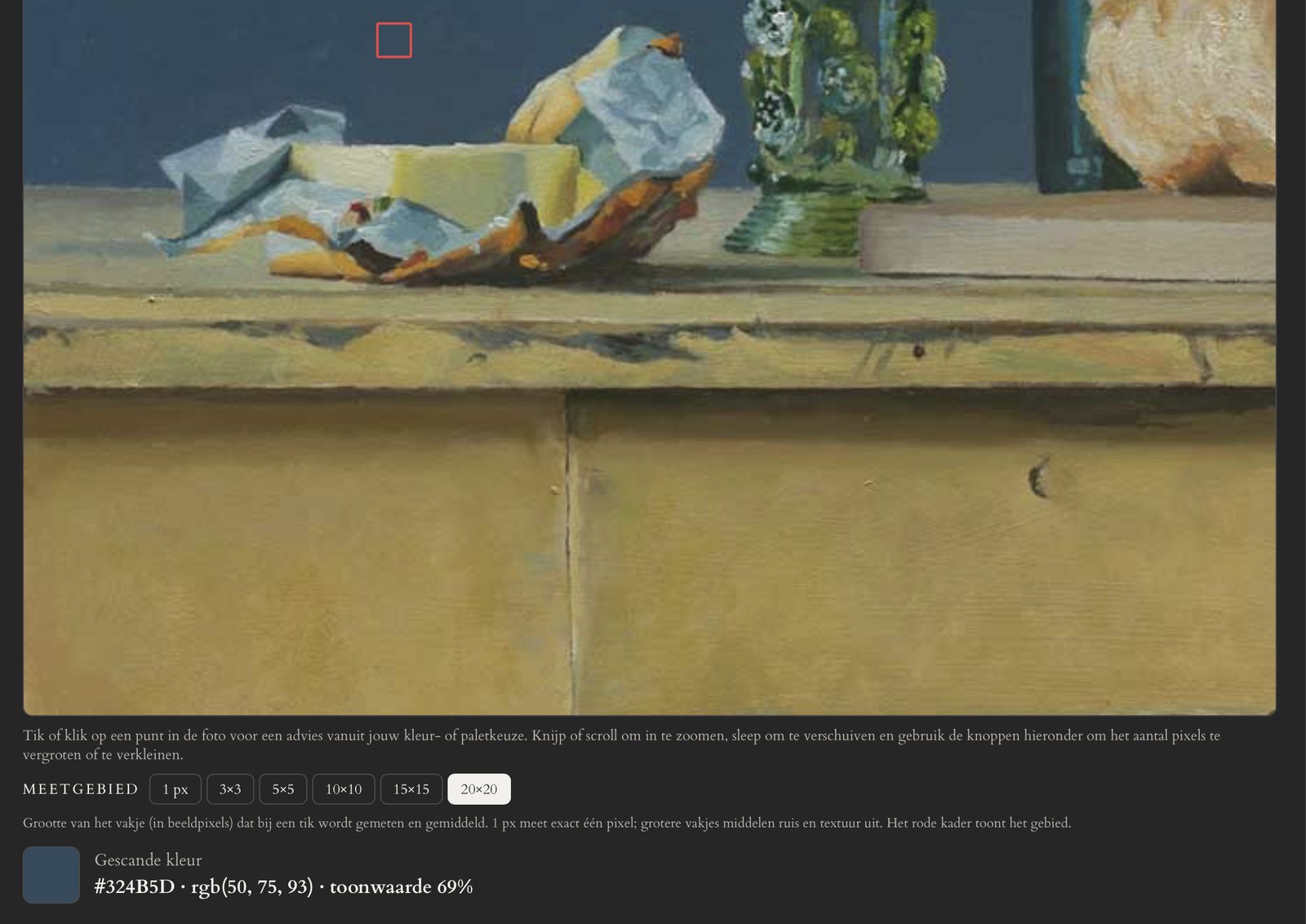
Tap a point in your photo. Chromapal® measures the colour and gives a recipe from the colours you selected, with ratio, percentages and match quality. Small amounts are shown too: a touch of red makes all the difference in a skin tone.
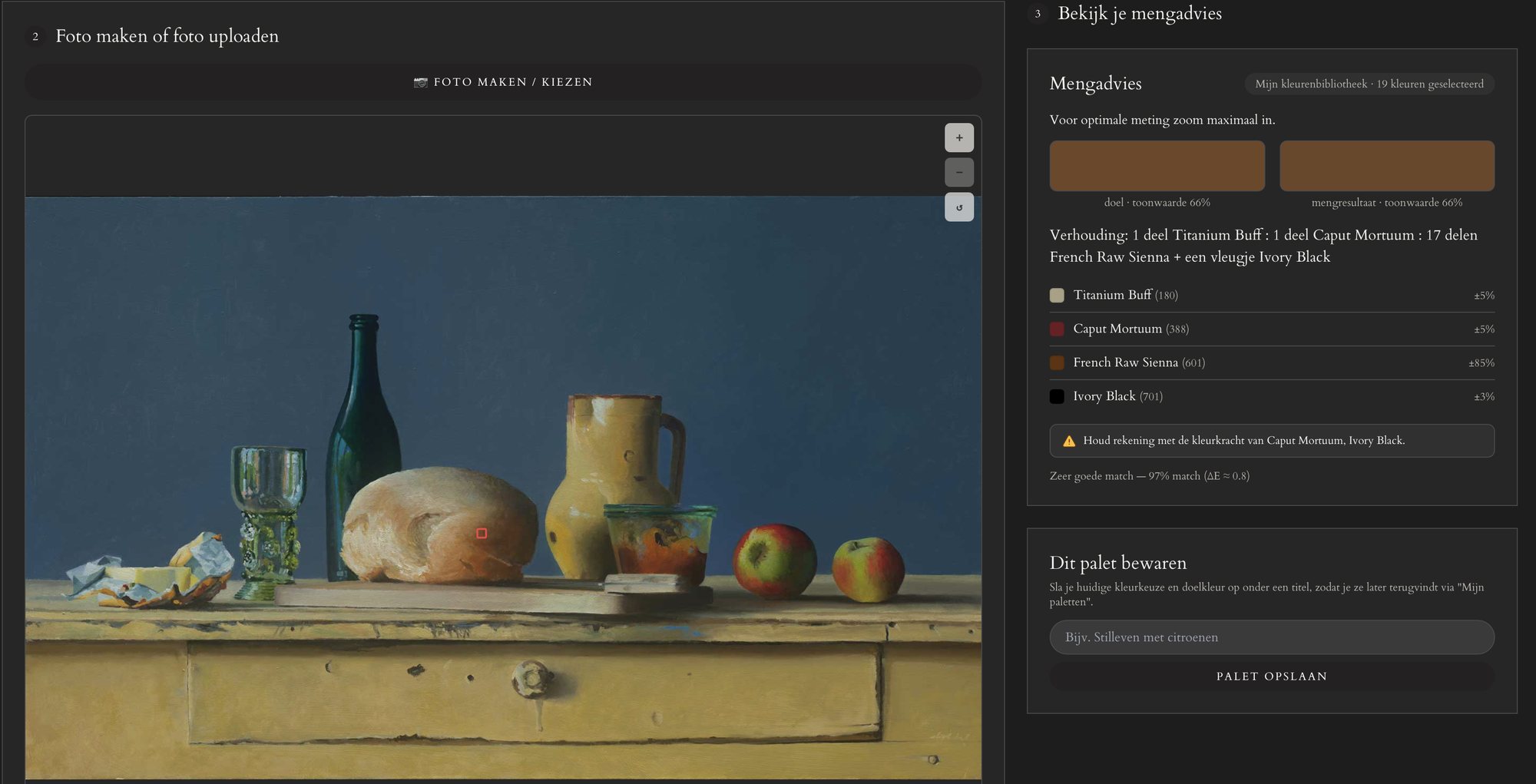
Mixing advice with your own tubes

Advice for the optimal match

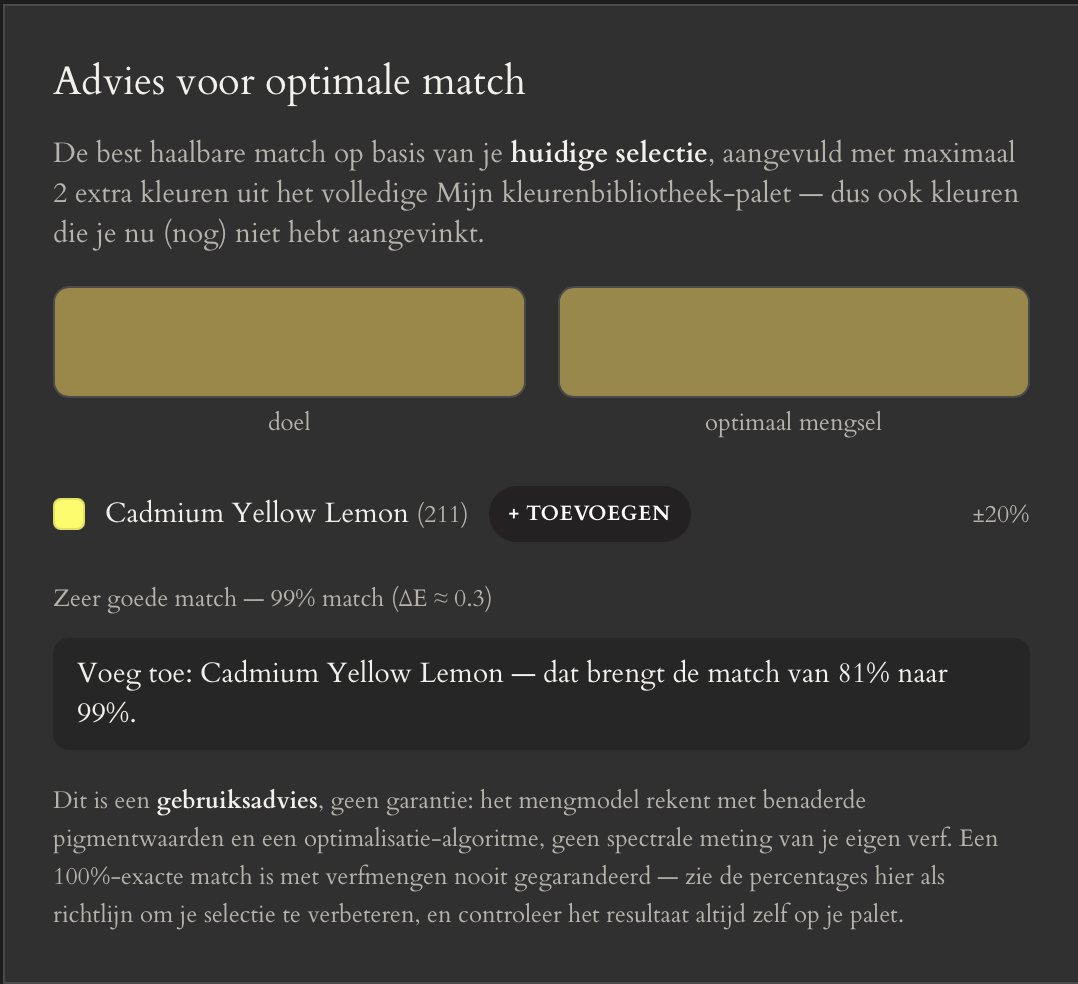
Could it be better with a colour you haven't selected yet? Chromapal® shows which tube from your library improves the match, and by how much.

Advice for the optimal match

21 brands and classic palettes

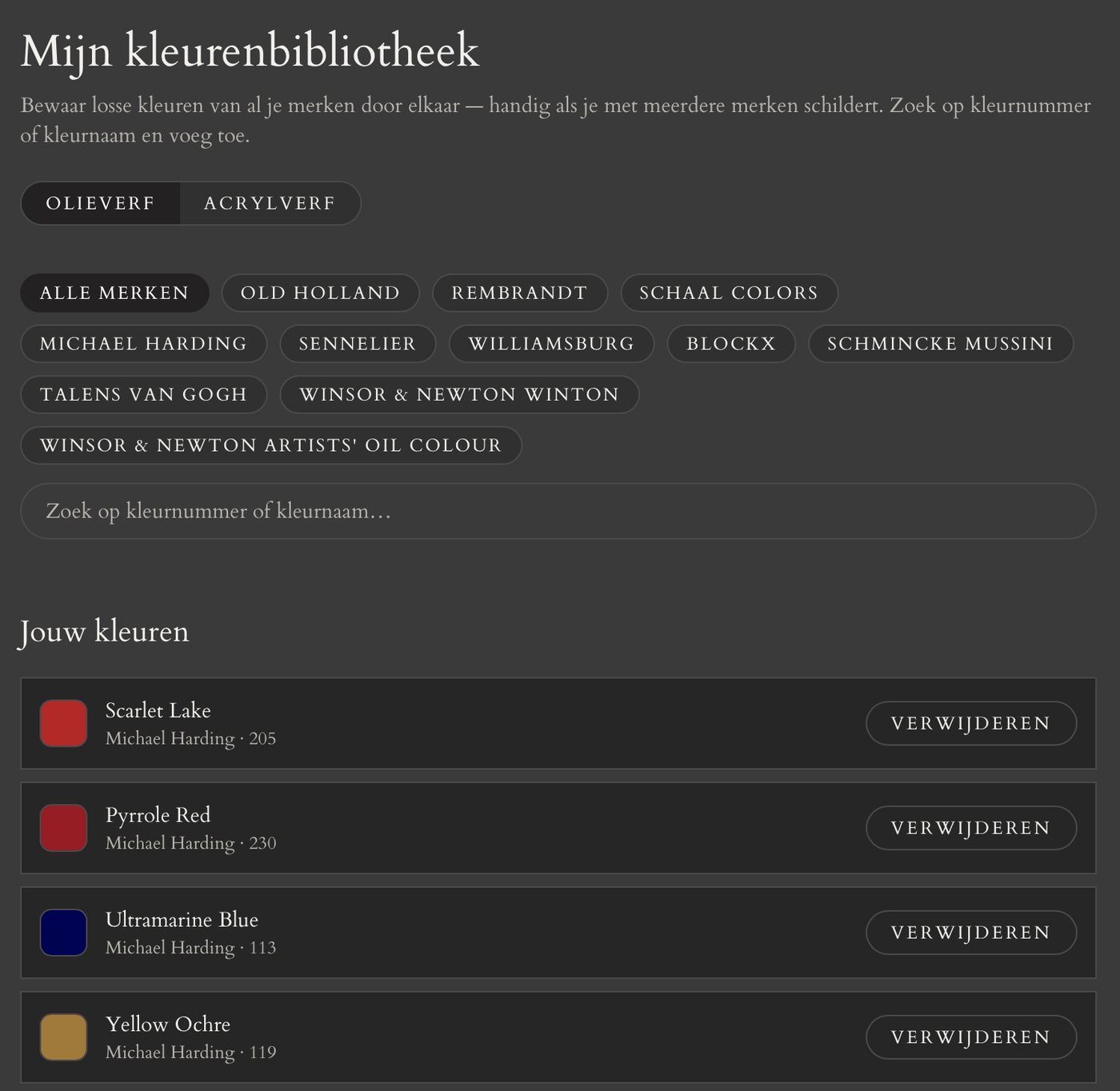
Old Holland, Michael Harding, Schaal, Rembrandt, Blockx, Schmincke Mussini, Winsor & Newton, Golden and more, in oil and acrylic. Plus nine classic palettes such as Zorn and the Florence Academy. Build your own colour library from the tubes you actually own.

21 brands and classic palettes

Tonal value of every colour

Every measurement shows the tonal value, from 0 % (white) to 100 % (black), so you can check light and shadow separately from colour.

Tonal value of every colour

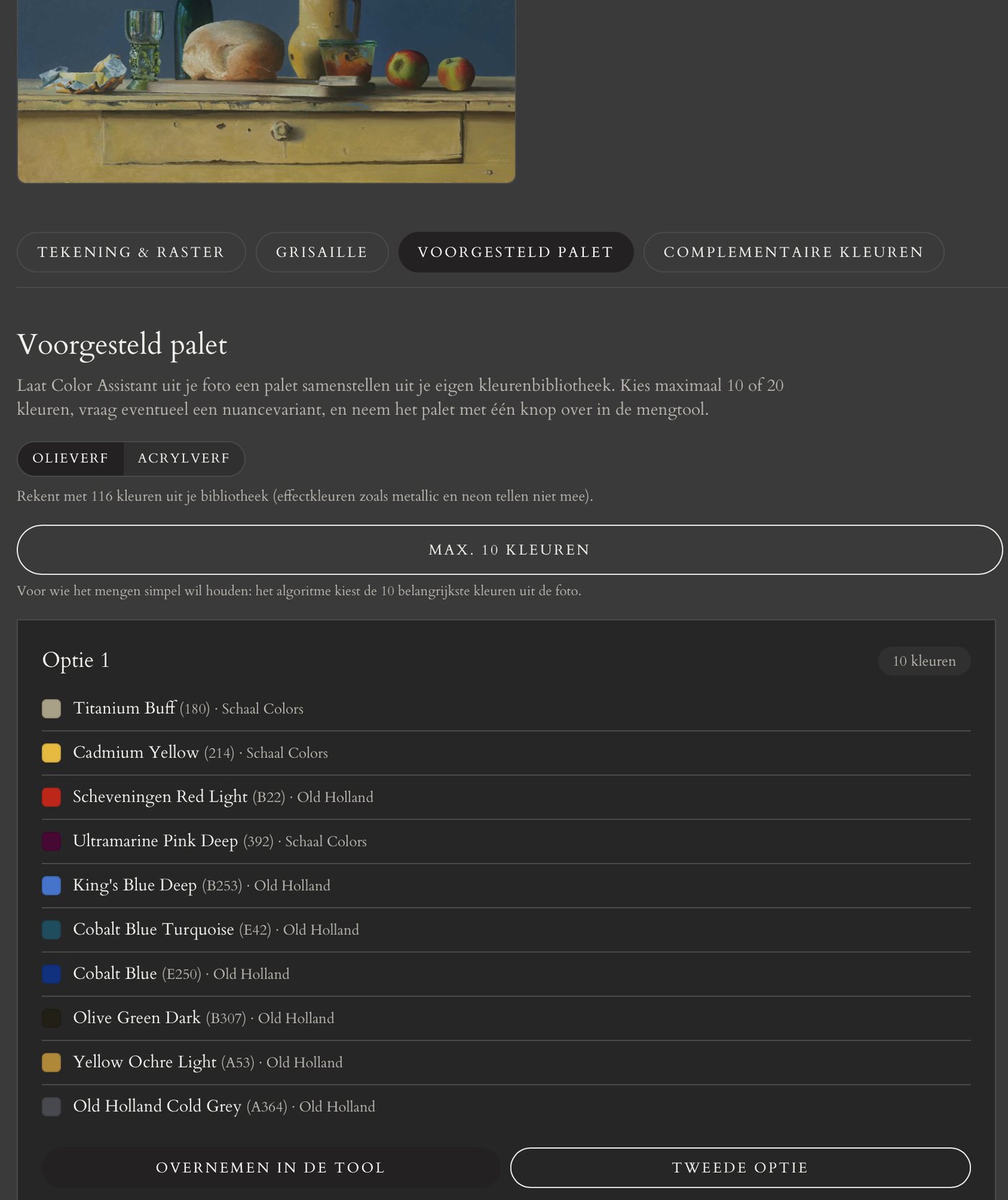
Suggested palette from a photo

Let Chromapal® analyse the photo and suggest which tubes you need for this painting.

Suggested palette from a photo

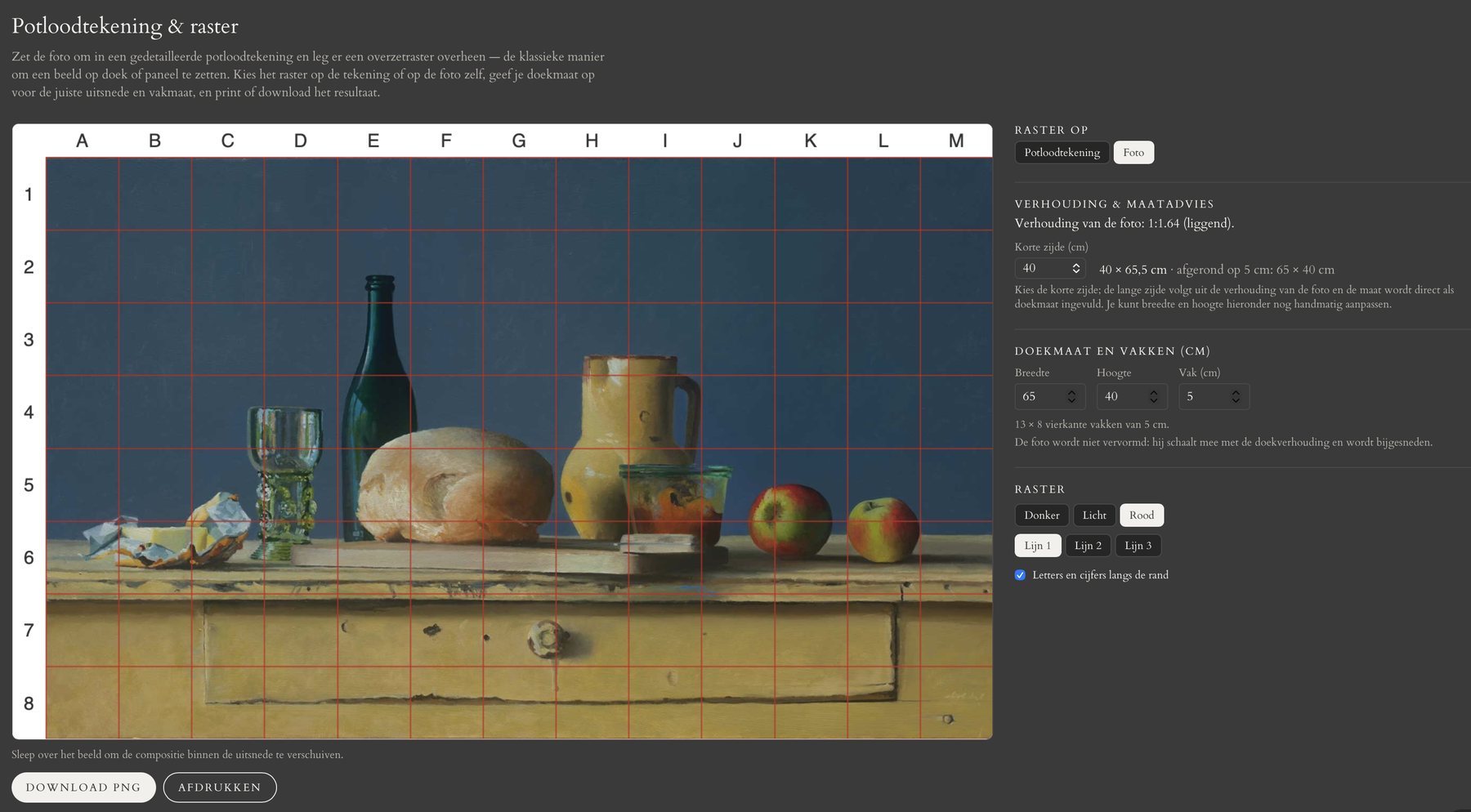
Pencil drawing and transfer grid

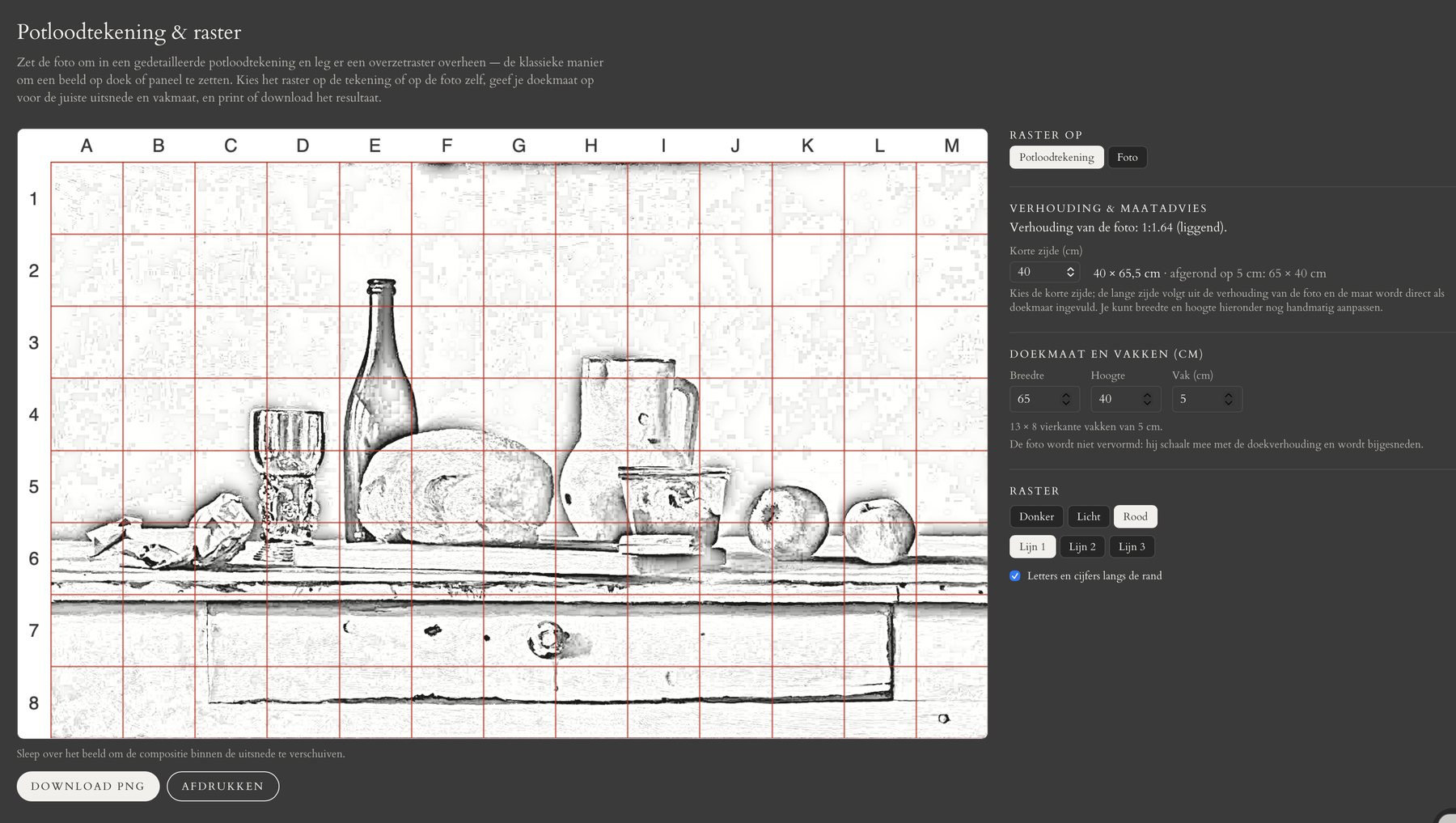
Turn your photo into a detailed pencil drawing with a grid of square cells per centimetre. Enter your canvas size, move the composition into place and print or download the result. With size advice: which canvas fits your photo's proportions.

Pencil drawing and transfer gridPencil drawing and transfer grid

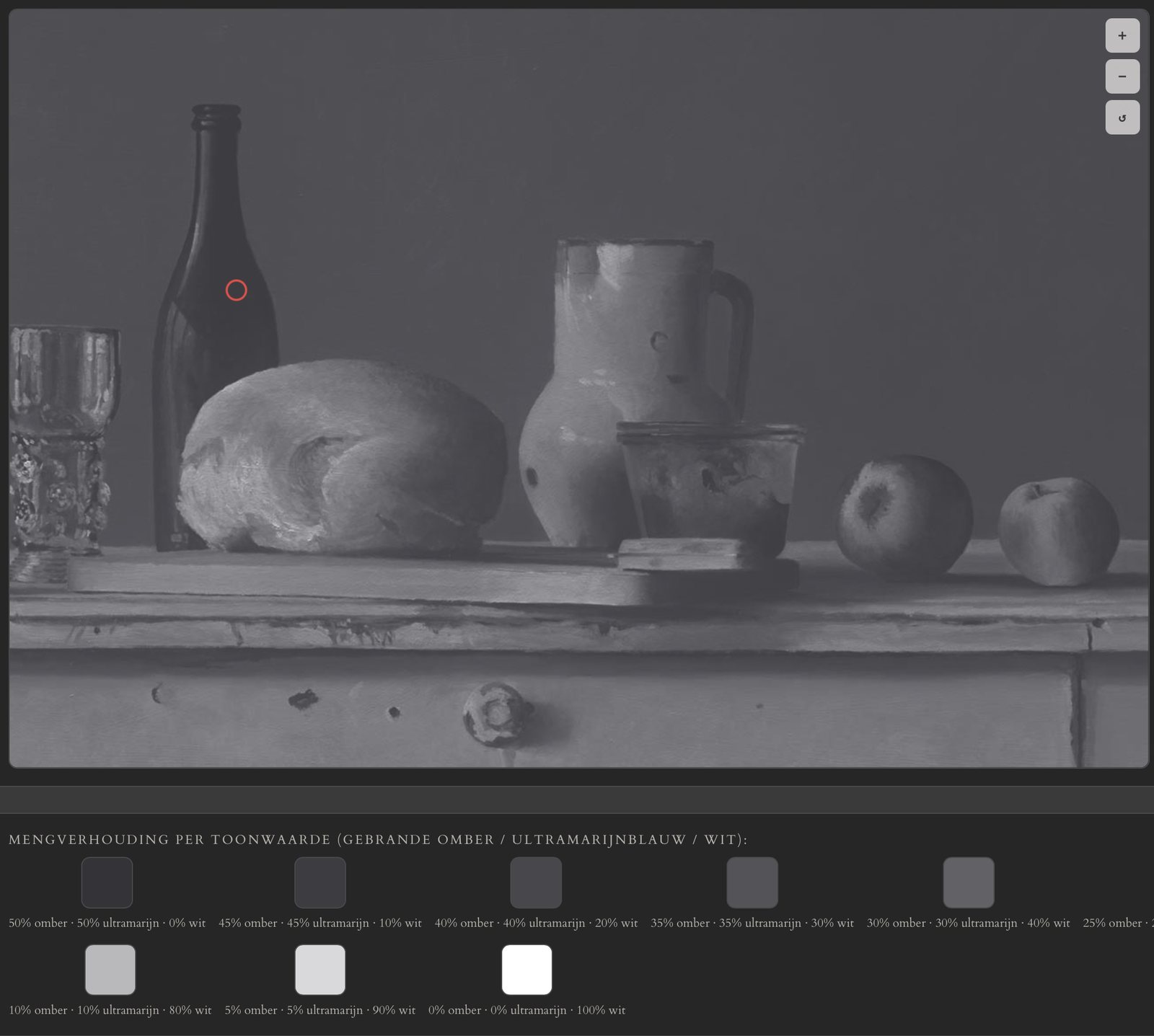
Grisaille and brunaille

See your photo as an underpainting: grisaille in umber and ultramarine or in black and white, or brunaille in warm umber and white. With mixing advice and tonal value for each tint. The classic first layer, prepared.

Grisaille and brunaille

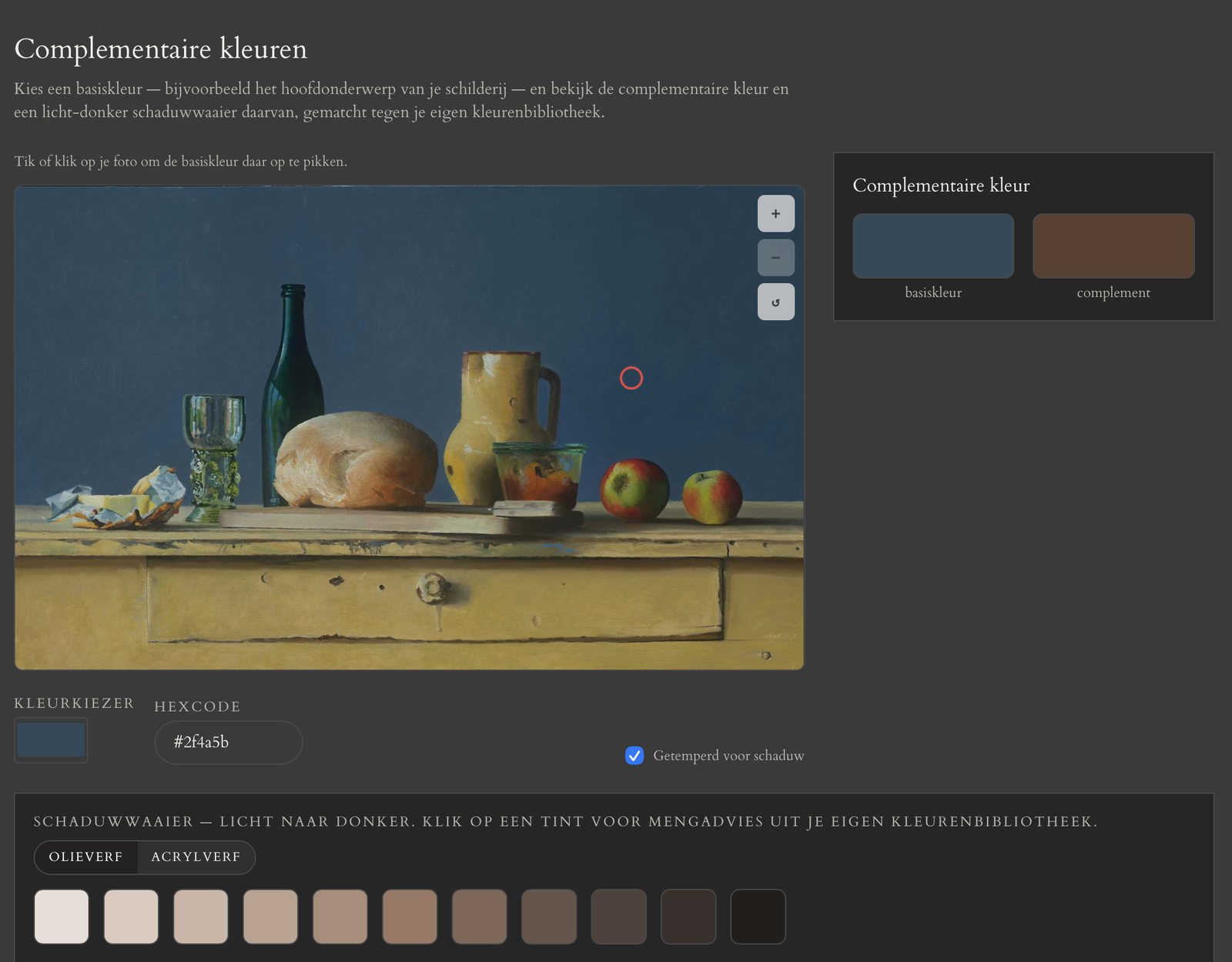
Complementary colours and shadows

Pick a colour and see its complement and a range of broken shadow tints, each with a recipe from your own tubes.

Complementary colours and shadows

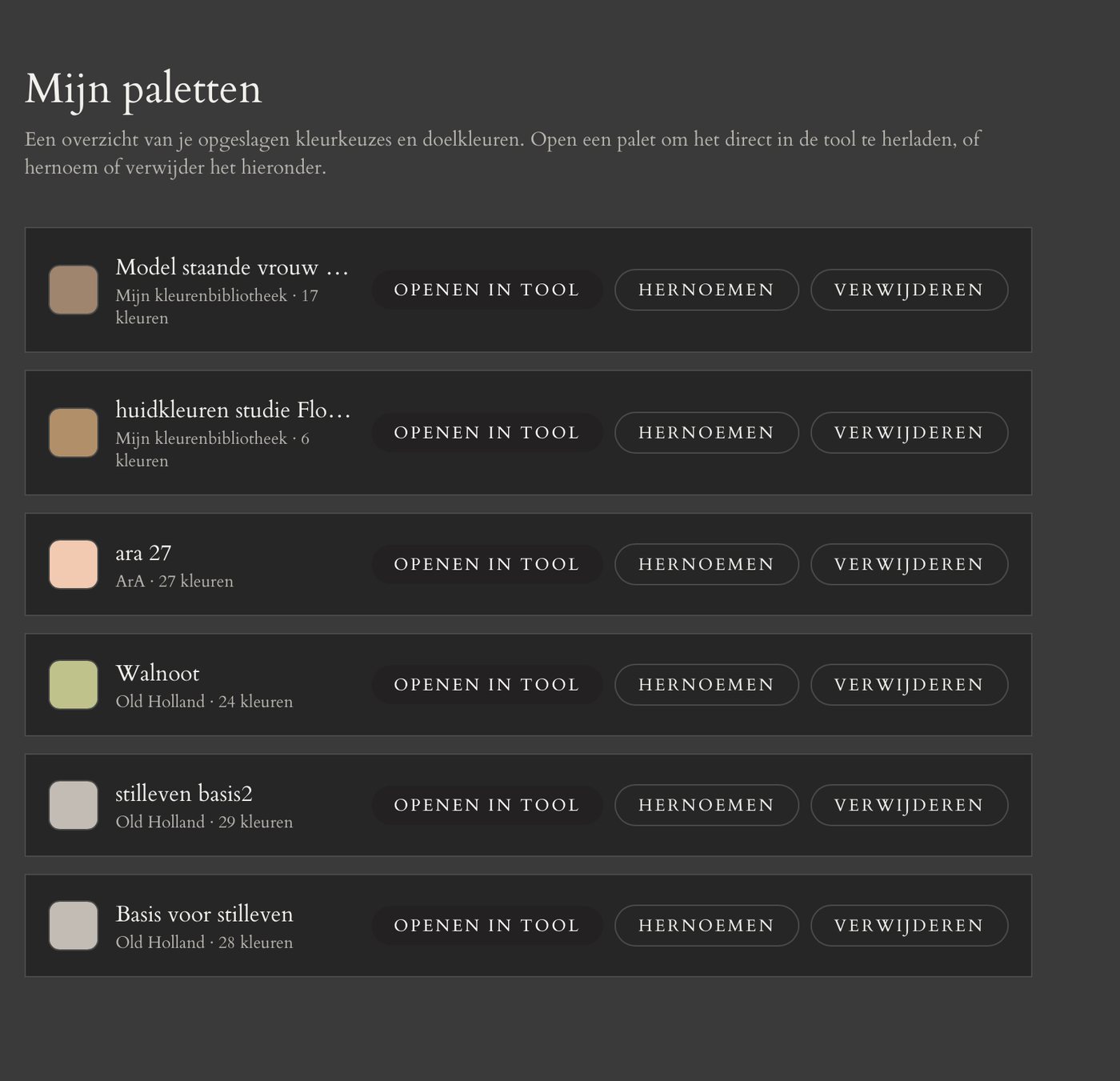
Save palettes, available everywhere

Save a colour selection and target colour under a title and find them again on every device you sign in on.

Save palettes, available everywhere

Tuned to the brands you already use

Every brand has its own pigments and color character — that's why Color Assistant calculates per brand, not with a generic color set.

Old HollandRembrandt / Royal TalensSchaal ColorsMichael HardingSennelierWilliamsburg (Golden)BlockxSchmincke MussiniVan Gogh (Royal Talens)Winton (Winsor & Newton)Winsor & Newton Artists' Oil Colour+ more brands coming soon

What does it cost?

from €9.99 per month

Annual subscription: 2 months free. You pay for 10 months, so from €99.90 per year.

Provisional price, incl. VAT. Subscriptions open soon, with a 48-hour free trial.

Try the free version now

Frequently asked questions

How does Color assistant work?

You take or upload a photo and click the point you want to measure. Color assistant instantly calculates a mixing ratio with the paint you chose, including its tonal value. In the full tool it works with the real tubes of your brand.

What is the difference between the free and the full version?

The free version works with twenty general pigments and is not calibrated on a brand. The full tool works with the tubes of 21 brands, calibrated on real mixes, and includes palette advice, tonal value measurement, grisaille and brunaille, classic palettes and saving palettes. The free version is temporary and goes offline again after the launch.

How accurate is the mixing advice?

The advice is an approximation, not an exact measurement. Use it as a starting point and always test a mix on a small scale first.

Which brands does the tool work with?

Among others Old Holland, Rembrandt, Van Gogh, Winsor & Newton, Michael Harding, Sennelier, Williamsburg, Blockx, Schmincke, Golden, Liquitex, Ara and Amsterdam, both oil and acrylic. New brands are added continuously.

What does it cost?

From €9.99 per month, as a provisional price including VAT. With an annual subscription you get 2 months free. You will be able to try it free for 48 hours first and then cancel monthly.

What happens to my photos?

Your photo stays on your own device and is not stored on our server. For the mixing advice only the measured colour is sent to the server; for palette advice in the full tool a heavily reduced version, which is discarded right after the calculation.

Which device works best?

A desktop or tablet works best. Use photos in the sRGB colour profile, the default on almost every phone and camera.

Can I log in already?

Logging in is currently only possible for testers. Sign-up opens soon.